
Firefox allows you to securely store usernames and passwords for websites in its Password Manager. When you visit one of the websites again, Firefox automatically fills in the username and password to log you in.
If you need to find out what your password is for a specific website for which you saved your login information, you can easily do so. To remove your saved passwords & username in Firefox follow bellow steps:
1. Launch the Mozilla Firefox.
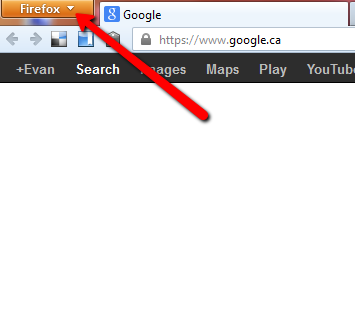
2. Click on the top-left corner to display Menu.
If you need to find out what your password is for a specific website for which you saved your login information, you can easily do so. To remove your saved passwords & username in Firefox follow bellow steps:
1. Launch the Mozilla Firefox.
2. Click on the top-left corner to display Menu.


